Guides / Crawlability
Can ChatGPT read my website?
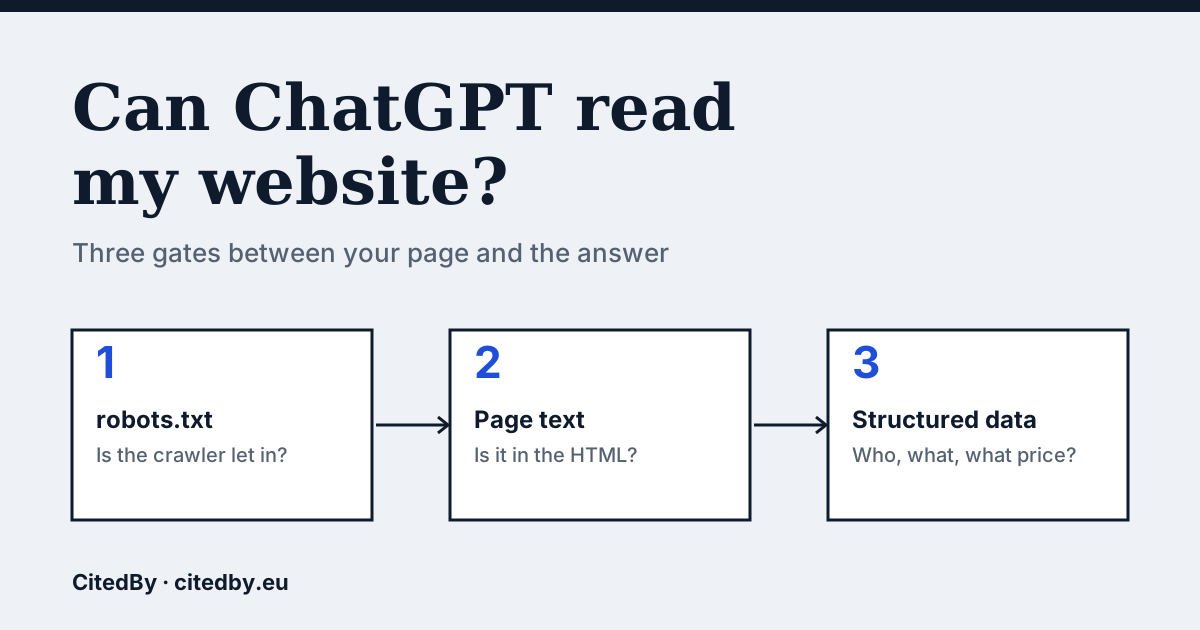
The three gates
ChatGPT search uses a crawler called OAI-SearchBot to find pages. OpenAI also runs GPTBot, which collects training data, and ChatGPT-User, which fetches a page when a person asks about it. OpenAI says each is controlled separately in robots.txt, so you can allow one and block another (OpenAI crawler documentation).
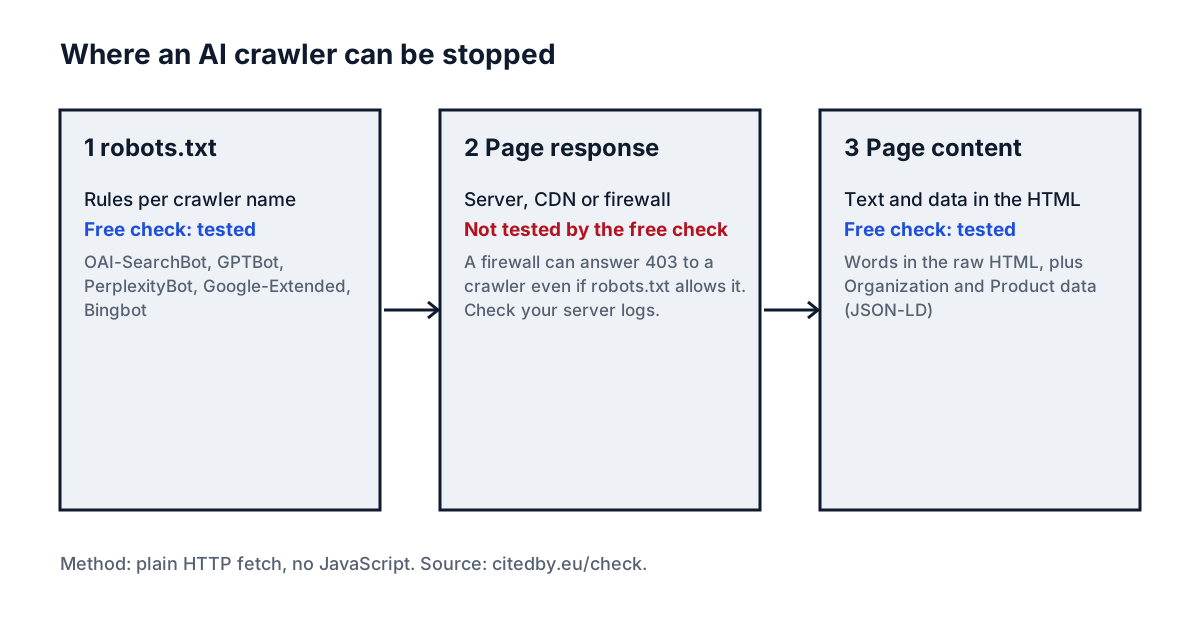
How to check, step by step
- Open
yourshop.com/robots.txtin a browser. Look forUser-agent: OAI-SearchBot,GPTBotor*followed byDisallow: /. A blanketDisallow: /underUser-agent: *blocks every crawler that has no rule of its own. - Audit your site with the box above (from €9). It reads robots.txt for OAI-SearchBot, GPTBot, PerplexityBot, Google-Extended and Bingbot and tells you which are blocked.
- Look at the word count it reports for the page HTML. Your homepage should have hundreds of words there, including your brand name and what you sell.
- Open the page, choose "View page source" and search for your product name. If it is missing, the page builds its text with JavaScript and a crawler that does not run scripts sees nothing.
- Check that Organization data (JSON-LD) is present, so assistants get your name, logo and contact details from one place.
What a blocked page looks like to a crawler
Some shop themes and website builders send an almost empty page and fill it in with JavaScript. A visitor sees a full product page. A crawler that does not run JavaScript receives a shell.
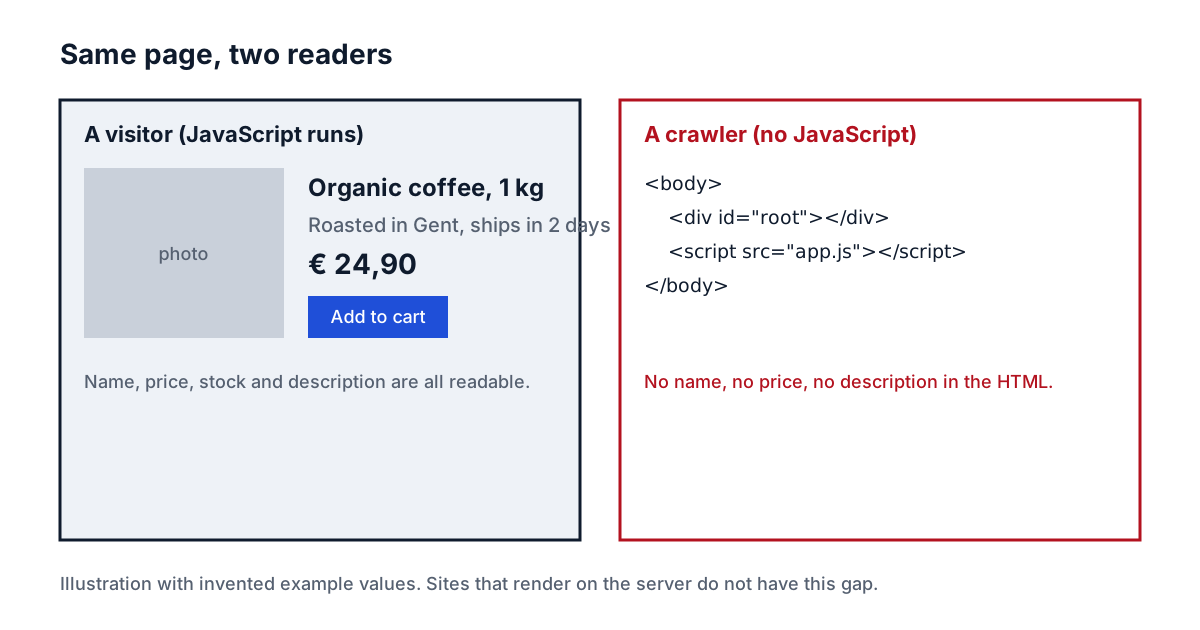
Some assistants do run JavaScript and some do not, so the safe position is to have your brand and product text in the HTML itself.
The gate the audit cannot see
robots.txt is a request, and your hosting is the enforcement. A firewall or CDN setting can answer a crawler with an error even when robots.txt allows it. The audit does not test this. Look in your server or CDN logs for requests from OAI-SearchBot and see which status codes came back; a run of 403 responses is the sign.
What to do with the result
- robots.txt blocks a crawler you want: remove the matching
Disallowrule. OpenAI says changes can take about a day to take effect. - Few words in the HTML: render the homepage and product text on the server.
- No Organization data: add it as JSON-LD on the homepage.
- All clear: being readable is the entry ticket, not the result. Whether an assistant names your shop is a separate question, which the audit measures by asking real buyer questions.
Questions people ask
Is GPTBot the same as ChatGPT search?
No. GPTBot collects data that may be used to train models. OAI-SearchBot is the crawler for ChatGPT search results. You can block GPTBot and still allow OAI-SearchBot.
If I block GPTBot, will ChatGPT stop mentioning my shop?
Not by itself. Search results depend on OAI-SearchBot. Blocking only GPTBot is a common choice for shops that do not want their content used for training.
Does adding llms.txt fix this?
It is optional. We do not expect it to change what assistants answer, and the audit marks it as optional.
How long until a change shows up?
OpenAI says it can take about 24 hours for its systems to adjust after you change robots.txt.
Sources
See what AI answers about your shop
The audit crawls every page of your site, shows which AI crawlers it lets in and gives the exact fix for each issue. From €9, 14-day money-back guarantee.
Audit my site