Guides / Wrong facts
ChatGPT shows my old price. How to find where it read it and fix it
Why an assistant quotes a price you changed
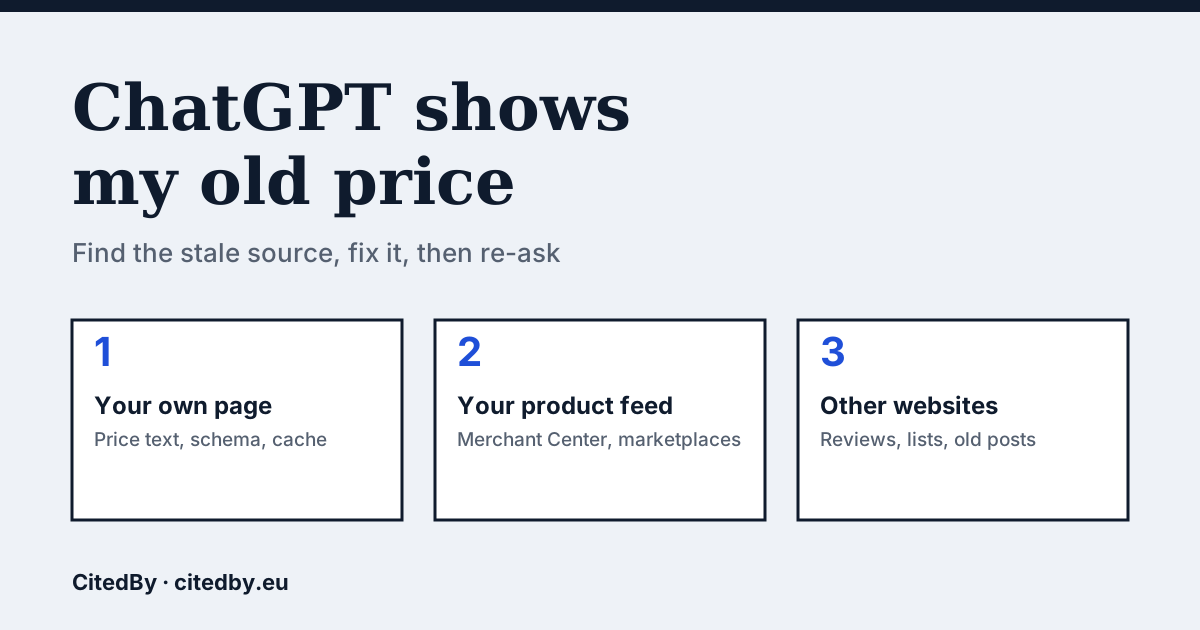
An assistant answers from what it can find: pages it fetched, feeds a merchant submitted, and third-party pages that mention you. If one of those still carries the old figure, the answer can carry it too. That makes a wrong price a data problem on a page you control or can contact, which is why it can be fixed. The fix happens at the source, not in the chat.
A reader on r/ecommerce described exactly this on 22 September: ChatGPT recommended a bundle that had been discontinued a year earlier, at the old $149 price (thread). It is one report, not a measured rate, so treat it as an illustration of the pattern.
Step 1: write down the wrong answer
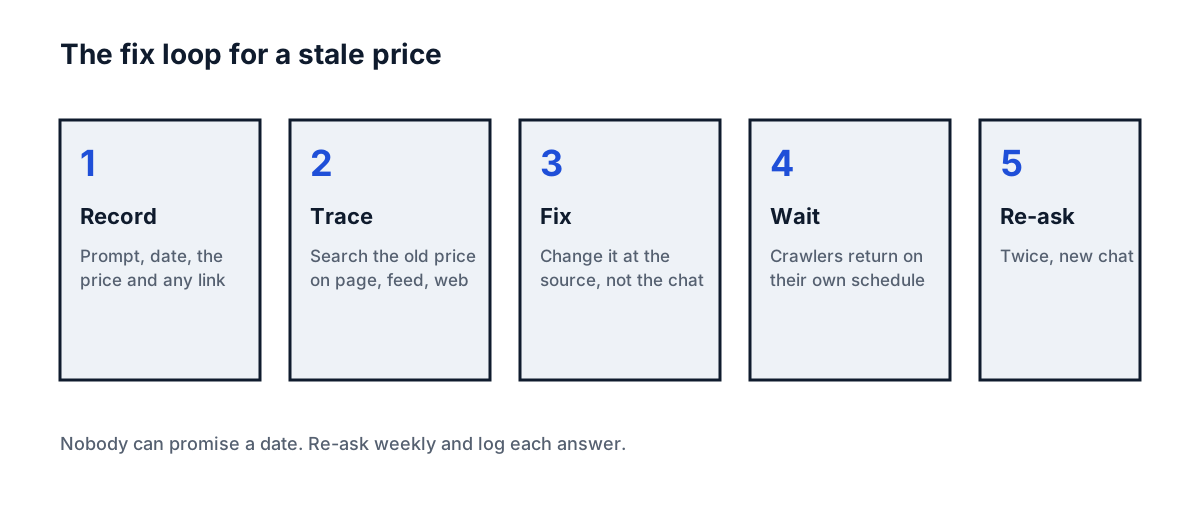
Open a new chat, with web search on if the assistant offers it, and ask: "What does [product] from [shop] cost?" Copy the answer, the date, the assistant and any link it cites. A cited link is the best clue, because it names the page that fed the answer. Ask a second time in another new chat. If the two answers differ, log both, since answers vary between runs.
Step 2: look for the old price on your own page
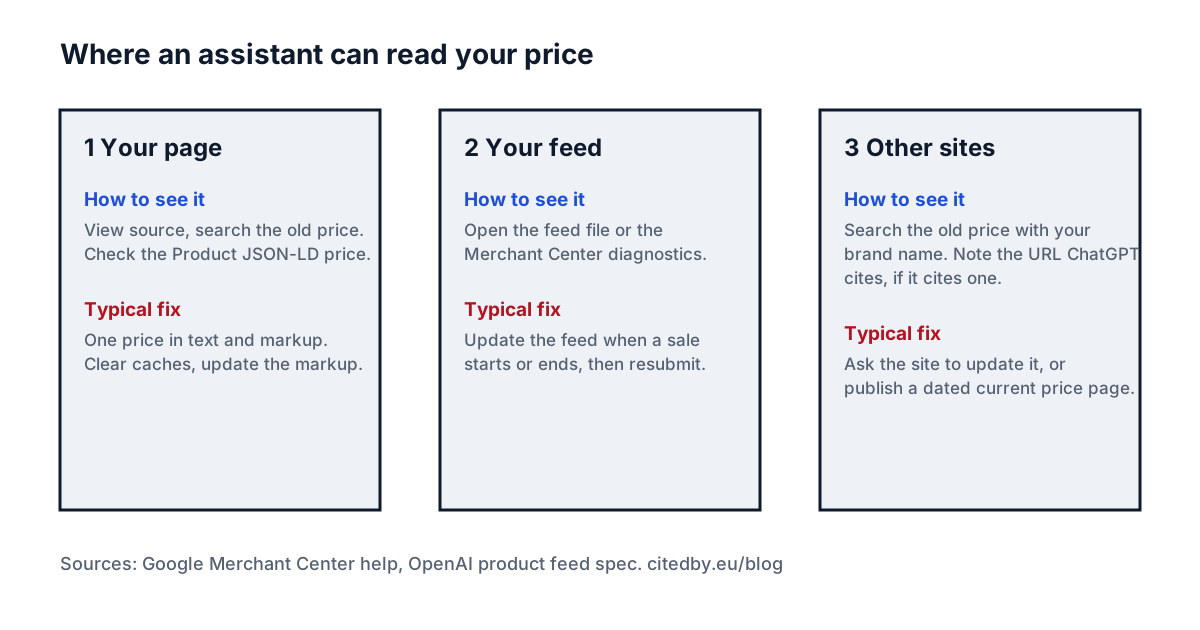
- Open the product page and view the page source (right click, View page source).
- Search for the old price, for example
49.00. Try with and without the currency sign. - Find the
application/ld+jsonblock and read theoffersprice. Product markup that was never updated is a common reason for a stale figure, and Google says the price in markup and feed must match the landing page (Google Merchant Center help). - Look for a second price on the page: a "was" price, a bundle price, a variant that loads a different amount.
- Fetch the page the way a crawler does, with no JavaScript. If the price only appears after scripts run, a crawler may not see the final figure. Google's help page also warns that slow pages can make crawlers miss the final price.
Step 3: check your product feed
If you sell through Google Shopping, a marketplace or ChatGPT's shopping feed, the feed is a second copy of your price. OpenAI's product feed specification asks for a price in the form 79.99 USD, one row per purchasable item or variant, and says to update the feed when a sale starts or ends (OpenAI product feed spec). A sale that ended on your site but stayed in the feed is the classic mismatch.
Google describes the same trap for its own feed: when the feed and the landing page disagree, the fix is to match them, resubmit through feed upload, the Content API or your shop platform, and then request a review, which Google says takes 7 business days (Google Merchant Center help). OpenAI's page does not describe a way to dispute data already ingested, so we do not promise one.
Step 4: search for the old price on other websites
Search the old price together with your brand name and product name. Look at review sites, price lists, comparison pages, old blog posts and your own press releases. Ask the owner of each page to update it. Where you cannot, publish a current page on your own site that states the price with the date, so the newest source is also the clearest one.
Step 5: wait, then re-ask
OpenAI says a robots.txt change can take about 24 hours to reach its search crawler (OpenAI crawler documentation). It publishes no schedule for refreshing a page it has already read, so nobody can promise you a date. Re-ask the same prompt twice, in new chats, once a week, and log each answer in a table.
| Date | Assistant | Prompt | Price shown | Link cited | Matches your page? |
|---|---|---|---|---|---|
| 2026-10-18 | ChatGPT, search on | What does [product] from [shop] cost? |
Can the audit find this?
The CitedBy audit crawls your pages and tests whether AI crawlers can reach them and read your product data. If your price page is blocked or empty to a crawler, no fix to the price can help, so test that first.
Questions people ask
Why does ChatGPT show an old price for my product?
It probably read the old figure from your page, your product feed or another website that still carries it. Search the old price in each place and look at the link it cites, if there is one.
How long until ChatGPT shows the new price?
Nobody can promise a date. OpenAI says robots.txt changes take about 24 hours to reach its search crawler, and it gives no refresh schedule for pages already read. Re-ask weekly and log the answers.
Can I ask OpenAI to change a wrong price?
OpenAI's feed specification does not describe a way to correct data already ingested, so fix the sources instead and re-test. Check OpenAI's help centre for any report option that exists when you read this.
Does a price in schema markup matter?
Yes, when it is stale. Google says markup and feed price should match the landing page, and a markup block that was never updated is a common mismatch to look for.
Sources
- OpenAI: product feed specification
- OpenAI: crawlers and user agents
- Google Merchant Center: inaccurate price due to feed and landing page mismatch
- r/ecommerce, 22 September 2026: ChatGPT recommends a discontinued bundle at the old price
- CitedBy site audit
See what AI answers about your shop
The audit crawls every page of your site, shows which AI crawlers it lets in and gives the exact fix for each issue. From €9, 14-day money-back guarantee.
Audit my site