Guides / Crawlability
Cloudflare is blocking AI crawlers on my site. How to allow GPTBot and ClaudeBot
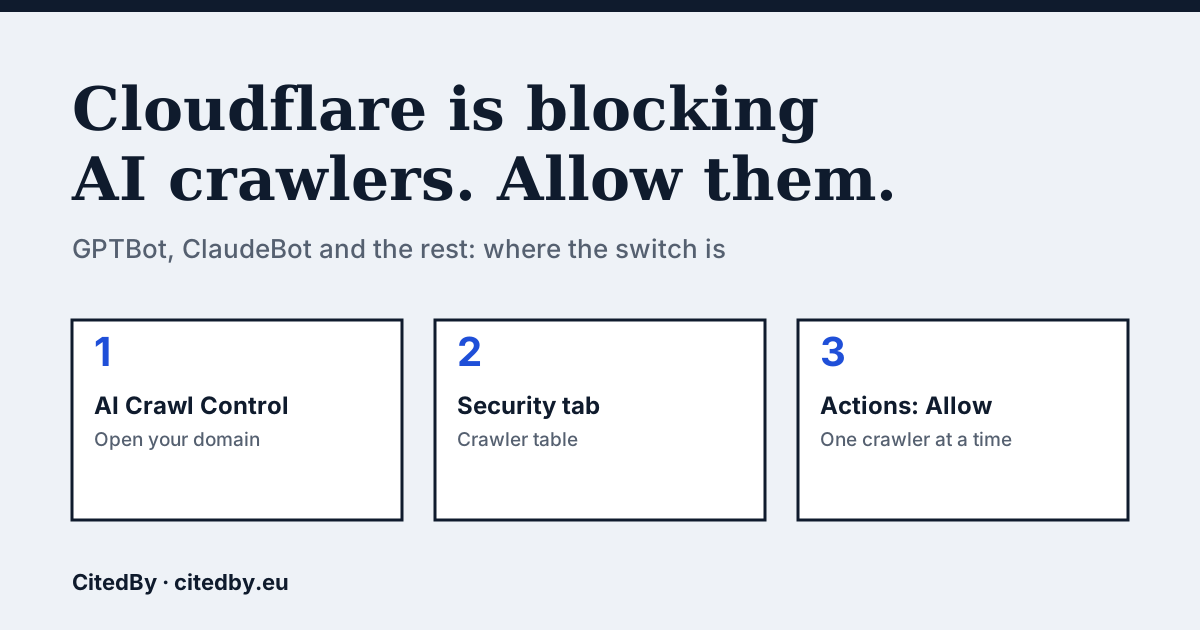
Why Cloudflare can block AI crawlers without you touching robots.txt
Cloudflare sits in front of your shop and can refuse a crawler before your server sees the request. That is why a robots.txt that welcomes every bot does not settle the question. When you choose Block for a crawler in AI Crawl Control, Cloudflare creates or updates a WAF custom rule on your zone to enforce it (Cloudflare docs).
Defaults are moving too. Help Net Security reports that from 15 September 2026 the default settings for new domains block Training and Agent crawlers on pages that display ads, while Search crawlers stay allowed. Cloudflare said it would notify customers before the change. That date has passed, so read your own dashboard instead of guessing which default your domain has (Help Net Security).
Allow a crawler in Cloudflare, step by step
- Log in to the Cloudflare dashboard and select your account and domain.
- Open AI Crawl Control, then the Security tab.
- Find the crawler in the table, for example GPTBot or ClaudeBot.
- In the Actions column choose Allow. The same menu offers Block.
- If you also want robots.txt rules honoured, enable Enforce robots.txt. Cloudflare says this stays available when you allow a crawler.
- Run the free check below on your homepage, then repeat the two-request test from our GPTBot guide.
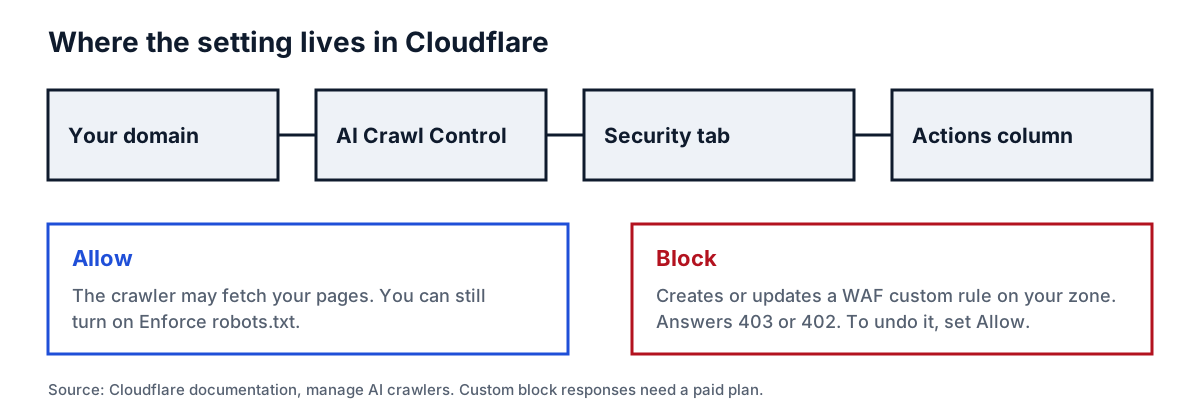
Two details from Cloudflare's documentation. A blocked crawler can be answered with a 403 or a 402 code and a custom message, and changing that response is available on paid plans only. Free plans can still allow and block.
Which crawler to allow for which goal
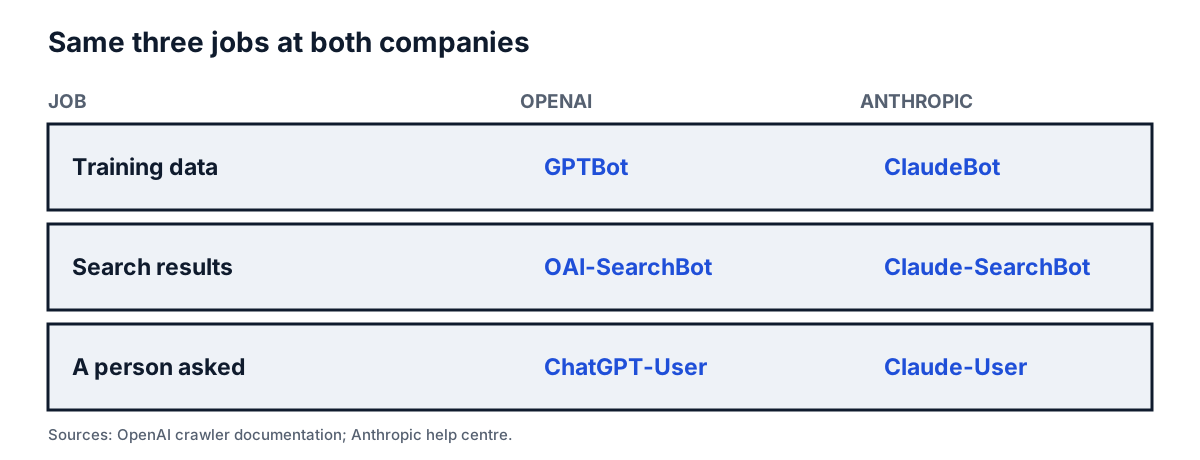
OpenAI and Anthropic each publish three crawlers with different jobs. Allowing the search crawler is the usual way to be findable, and you can treat the training crawler as a separate decision.
| Job | OpenAI | Anthropic |
|---|---|---|
| Collect content that may train models | GPTBot | ClaudeBot |
| Improve search results | OAI-SearchBot | Claude-SearchBot |
| Fetch a page because a person asked | ChatGPT-User | Claude-User |
Anthropic says its bots follow robots.txt and support Crawl-delay. It publishes the IP ranges its crawlers use at claude.com/crawling/bots.json, and warns that blocking by IP address alone may stop the bot from reading your robots.txt (Anthropic help centre). OpenAI publishes its crawler list and IP ranges in its documentation (OpenAI).
How to confirm it worked
Cloudflare changes are not proof until a request gets through. Three checks, in order:
- Run the free check in the box above. It reads robots.txt for the main AI crawlers and tells you if your page answers a plain request.
- Send two requests with curl, one normal and one with a crawler user-agent, and compare the status codes. The commands are in our GPTBot guide.
- Look at your server or Cloudflare logs a day later for the crawler's name and the status codes it received.
If the dashboard says Allow but the second request still returns 403, look for a second rule: a security plugin, a hosting firewall or an older WAF rule can refuse the same traffic.
Should you allow everything?
Not necessarily. Blocking training crawlers while allowing search crawlers is a legitimate setup, and Cloudflare's own defaults lean that way for pages with ads. What costs shops is blocking by accident. A site that blocks the search crawlers cannot be fetched for those search features, so decide per crawler and write down why.
Questions people ask
Where is the AI crawler setting in Cloudflare?
Open your domain, then AI Crawl Control, then the Security tab. Each crawler has an Actions column with Allow and Block.
How do I unblock ClaudeBot in Cloudflare?
Find ClaudeBot in the crawler table on the Security tab and choose Allow. Anthropic also lists Claude-SearchBot and Claude-User as separate crawlers, so check those rows too.
Does allowing a crawler in Cloudflare override my robots.txt?
No. Cloudflare says you can still enforce robots.txt after allowing a crawler. A Disallow rule in your robots.txt still tells that crawler to stay away.
Is the 15 September 2026 default change affecting my shop?
Help Net Security describes it as a change to the defaults for new domains. If your domain is older, your existing settings stand until you change them. Check the Security tab to see what applies.
Sources
- Cloudflare: manage AI crawlers
- Help Net Security: Cloudflare changes AI crawler access rules, 2 July 2026
- Anthropic: does Anthropic crawl data from the web, and how can site owners block the crawler
- OpenAI: crawlers and user agents, IP ranges
- CitedBy free check, method note
See what AI answers about your shop
The audit crawls every page of your site, shows which AI crawlers it lets in and gives the exact fix for each issue. From €9, 14-day money-back guarantee.
Audit my site