Is your Lovable site visible to Google and ChatGPT?
Paste your published address. We read up to 10 of your pages as they are served to an outside visitor: the HTML each one returns (on an older Lovable app, the Markdown copy Lovable serves for it), your robots.txt and sitemap, and whether GPTBot, ClaudeBot and PerplexityBot may get in. For each finding you get why it matters and what to change.
Free. No account, card or email.
- Our crawler is CitedBot. We read public pages only and never log in. It is documented at citedby.eu/bot.
Checked against Lovable's docs on 2 November 2026 · CitedBy
What decides whether a crawler can read a Lovable app
It depends on when the app was created. Lovable's own FAQ says:
“New Lovable apps created from May 13, 2026 (June 22, 2026 for Enterprise workspaces) use TanStack Start, which renders pages on the server.”
“Older apps use React + Vite and render in the browser, and Lovable serves pre-rendered copies of their published pages to verified search engines, social preview bots, and AI crawlers so they can read the content.”
Source: Lovable FAQ, read 2 November 2026.
TanStack Start
Every request gets the rendered page: people, crawlers and scanners alike.
The free check reads the same HTML Google gets: the text, title, headings, links, noindex and canonical of each page.
React + Vite
Crawlers Lovable verifies (Google, Bing, the AI search crawlers) get a pre-rendered copy. Other tools get the page before JavaScript runs, and Lovable's hosting docs warn that a scanner may report it as empty.
CitedBot is one of those tools, so on these apps the check asks for the Markdown copy Lovable serves to anyone who requests it, and grades the title, description, headings, text and links on that copy.
Not measured on that copy: structured data, canonical, hreflang, Open Graph image, language tag and missing image alt text.
If a page sends HTML instead of the copy, the report says its text, title, headings, links and markup are not measured. Text your app loads after the page opens can be missing too: we have seen Lovable make the copy before the page's data loaded. Step 2 below shows how to look at the copy yourself.
Which kind do you have? Open view-source
In your browser, type view-source: before your address. If your headline and first paragraph are in that text, you have a TanStack Start app. If it looks like this, you have an older React + Vite app:
<!doctype html>
<html lang="en">
  <head>
    <title>Your app's title</title>
    <meta name="description" content="...">
    <script type="module" src="/assets/index-....js"></script>
  </head>
  <body>
    <div id="root"></div>
  </body>
</html><div id="root"> in the browser.If your app is older: four steps
- Nothing is required for the crawlers Lovable verifies, with one caveat in Lovable's docs: content that loads with the page is usually in the pre-rendered copy, and content that loads late may be missing. Data your app fetches after the page loads is the part to check.
- See what AI assistants read. Lovable serves a Markdown copy to any client that asks for one. It is the copy the free check grades. Run
curl -H 'Accept: text/markdown'followed by your address, and check that your headline and key facts are in it. If it prints HTML, the copy may not be ready yet, so run it again a few seconds later. - See the page Google crawled. In Google Search Console, URL Inspection shows it for one address at a time; Lovable's docs suggest it for your important pages.
- If you want every tool to get the text, upgrade the project to TanStack Start if it is eligible: in project settings, open General, then Project actions, then Migrate to TanStack Start. Lovable says most upgrades cost 10 to 35 credits, and your published site stays as it is until you publish again (Lovable docs).
Run Lovable's review first, then read the site from outside
Lovable's editor has its own SEO & AI review (More, then Analytics, then the SEO & AI tab). It checks your sitemap, robots.txt, metadata, structured data, page structure, alt text, canonical tags, indexing and AI readiness, and can fix most findings in one click (Lovable docs). Two things are worth reading from outside after you publish:
Which AI crawlers may get in
Lovable's reviewFlags a robots.txt that is missing, blocks crawlers, or has a missing or wrong Sitemap: line.
From outside, freeReads the robots.txt rule for each of 8 crawlers by name (GPTBot, OAI-SearchBot, ChatGPT-User, PerplexityBot, ClaudeBot, Google-Extended, Bingbot, Googlebot), then requests your home page with the user-agent of the 7 that fetch pages. If a firewall or bot filter refuses one of those user-agents, the status code shows it. A rule that matches the crawlers' own IP ranges does not fire on our request, and the result says so where it applies.
Each page, after you publish
Lovable's reviewReads your code and preview for duplicate titles and canonicals that point to the home page. On the live site, its indexing check looks for a home page that does not load and a noindex tag across the whole site. The first scan starts after your first edit, then when you start it; Lovable does not run it again on its own when you publish.
From outside, freeOn a TanStack Start app, each of up to 10 published pages is read on its own, as it is served today, so one page with noindex, a canonical that points elsewhere or a redirect chain shows up by its address. On an older app, it reads each page's status code and redirects, and grades the title, description, headings, text and links of the Markdown copy Lovable serves for that page.
What the free check gives you back
For up to 10 public pages, read as they are served (on an older app, as their Markdown copy):
- a health score and a grade for each section it could measure;
- the AI crawler table: what robots.txt tells GPTBot, ClaudeBot, PerplexityBot and the others;
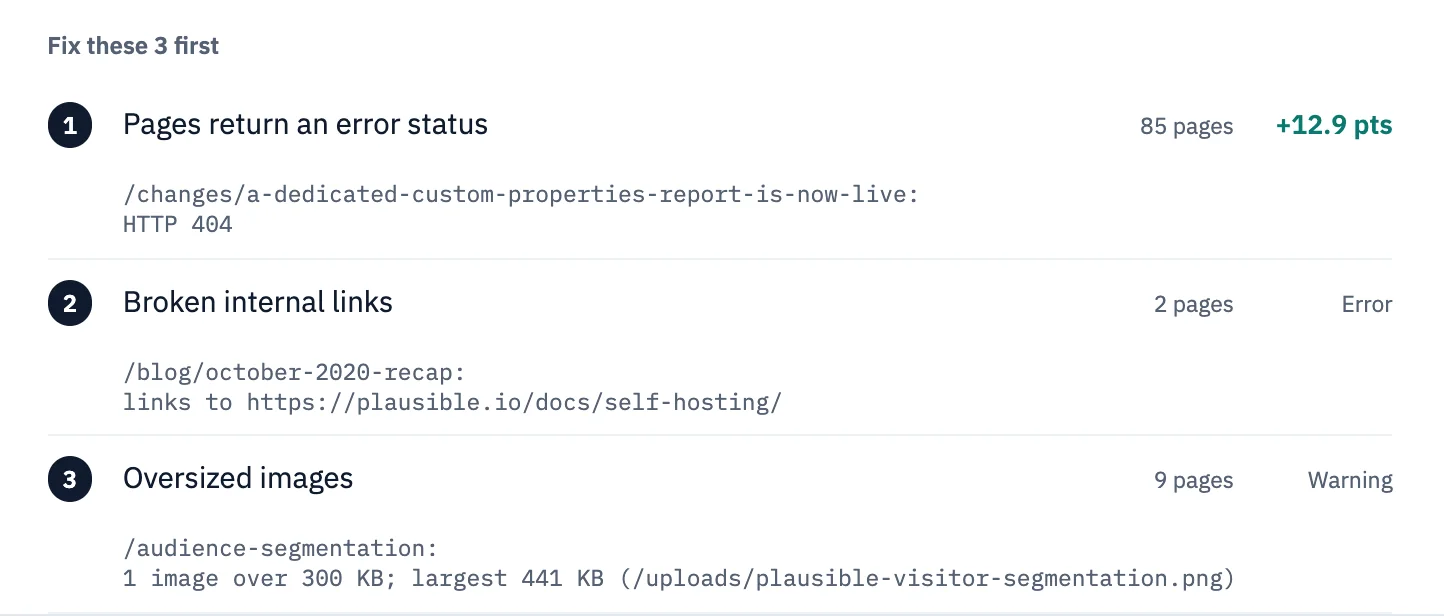
- each finding in the sample, with why it matters, what to change and the pages it affects.
Want more than 10 pages?
A full audit reads up to 500 pages for €9, once, and gives the fix for each finding, with paste-ready code where the fix is code. On an older React + Vite app it reads each page's Markdown copy, like the free check: the title, description, headings, text and links are graded, and structured data, canonical, hreflang, Open Graph image, language tag and missing image alt text are not measured. Run the free check first to see what it reads on your site. You can withdraw within 14 days of paying and get your money back (refund terms).
Questions
Is the check really free?
Yes. You need no account, card or email. We crawl up to 10 pages of your site and show the result on a page you can open straight away. Each network can run 3 free checks in 24 hours, and a second check of the same site within 24 hours shows the saved result.
Does it ask ChatGPT about my site?
It reads your site: the HTML of up to 10 pages (on an older Lovable app, their Markdown copy), robots.txt, the sitemap, and the rules your site sets for GPTBot, ClaudeBot, PerplexityBot and the other AI crawlers.
Will fixing the issues make ChatGPT name my site?
Nobody can promise a mention: which sites an assistant names is its own choice. You control whether its crawler may get in and what it can read when it does, and that is what the check reports.
Should I run Lovable's review or this check?
Run Lovable's first: it can fix most of its findings in your project in one click. Then run this check on your published address for the crawler-by-crawler access and each page as it is served (on an older app, its Markdown copy).
Does this work for apps built with Bolt, v0 or WordPress?
Yes. Paste any public address and the check reads it the same way. This page is about Lovable because how a Lovable app renders depends on when it was created.