AI crawler settings by platform / AI crawlers by platform
Netlify: block AI crawlers with robots.txt and User Agent Blocker
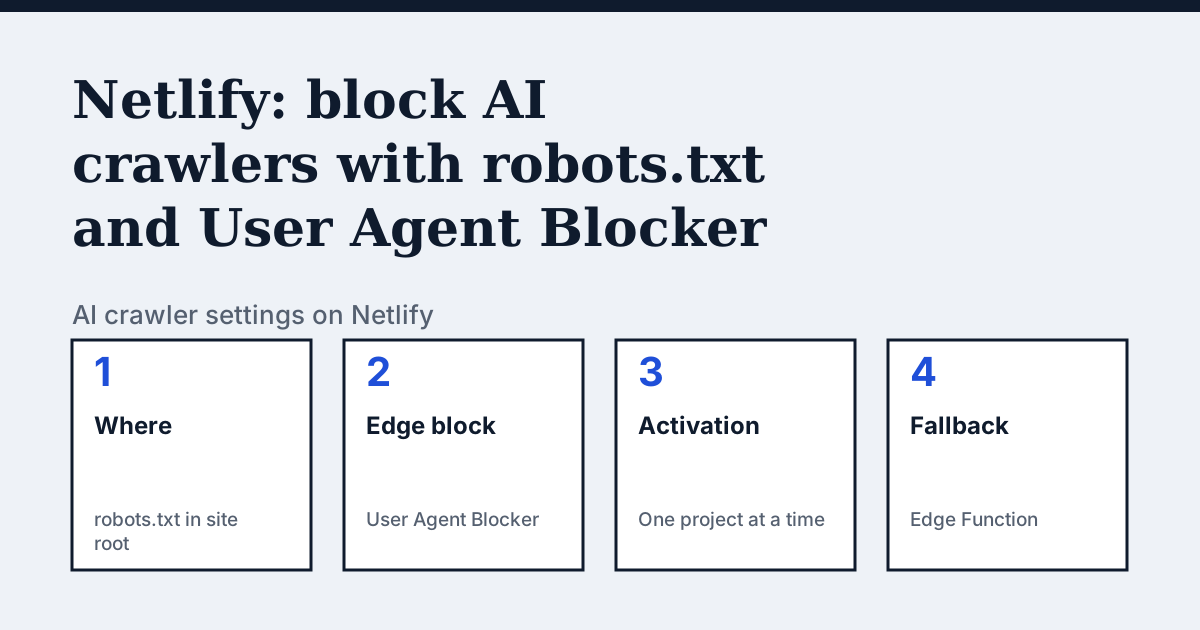
Where the setting is on Netlify
There is no robots.txt editor in the dashboard pages we read. Netlify's developer guide says to state your rules in a robots.txt file "served from the root of your site". The separate docs page on blocking AI crawlers covers the User Agent Blocker extension, which you find under Extensions in your project's left navigation after installing it.
The one thing Netlify's pages say that the other platforms do not
Netlify's own guide treats robots.txt as the first of two layers, not the whole answer. It shows a robots.txt with one User-agent and Disallow block per bot, generated from a JSON list of names, and then adds an Edge Function that compares each request's User-Agent header with the same list and returns HTTP 401 to a match. It says some AI products do not respect robots.txt, and then adds that the user agent check has a gap of its own.
In the vendor's words: “Sadly, some bots have been found to mis-report their names in their User Agent strings, so we can’t rely on that technique alone either.”
Source: Netlify Developers: Blocking AI bots and controlling crawlers, read on 24 October 2026.
The steps
- Write a robots.txt with a User-agent line and Disallow: / for each bot you want to block, and serve it from the root of your site. The guide generates the file from a list of names with a small build script, to avoid typos.
- Deploy the site. The guide notes that AI crawlers "should" honor the file, which is why it adds a second layer.
- For the extension: in your Netlify project dashboard select Extensions in the left sidebar, search for User Agent Blocker, select it, and select Install. This makes it available for all projects on your Netlify team.
- Go to the project where you want it active. You can only activate the extension for one project at a time. Under Extensions in the left navigation, select User Agent Blocker.
- Under Block User Agents, select the traffic to block. To target AI crawlers and bots, select all of the AI crawler options.
- Select Redeploy site and confirm with Save, then select Enable analytics and deploy site. Netlify says blocking starts working immediately once the deploy succeeds.
The lines to use
To allow:
User-agent: OAI-SearchBot
Allow: /

User-agent: PerplexityBot
Allow: /
To block:
User-agent: GPTBot
Disallow: /

User-agent: ClaudeBot
Disallow: /
Netlify's pages only show Disallow rules. The Allow lines above are standard robots.txt, not something Netlify documents.
Gotchas
Netlify says the extension's preset list "does not include all possible AI crawlers and AI bots", so a crawler missing from the list is not blocked. The same page lists SEO and search crawlers alongside the AI ones, so select only the AI options if you still want search traffic. The guide's example Edge Function answers with a 401 for every matching request, across the whole site.
Compare with Cloudflare
Cloudflare: A network-level switch that works whatever the site platform is, where Netlify's extension is per project.
Check your own site
The free check in the box above reads robots.txt for the AI crawlers and sends one live request per crawler, so a rule that your platform's settings allow but a firewall refuses shows up. The full list of crawlers is on the AI crawler hub.
Questions people ask
Is robots.txt enough to block AI bots on Netlify?
Netlify's guide says no. It says not all AI products respect robots.txt and recommends adding an Edge Function, or the User Agent Blocker extension, that blocks by user agent. It also says some bots mis-report their user agent, so the two layers together are its answer.
Can I turn on the User Agent Blocker for every project at once?
Not according to Netlify's docs. Installing it makes the extension available for all projects on your team, but you can only activate it for one project at a time.
Sources
- Netlify Developers: Blocking AI bots and controlling crawlers, read 24 October 2026
- Netlify Docs: Block AI crawlers and bots, read 24 October 2026
See what AI answers about your shop
The audit crawls your site up to your plan's page limit, shows which AI crawlers it lets in and gives the exact fix for each issue. From €9, 14-day money-back guarantee.
Audit my siteAudit from €9, paid once. 14-day money-back guarantee.