Guides / Guide
AI visibility checklist for Shopify, WooCommerce and other shop platforms
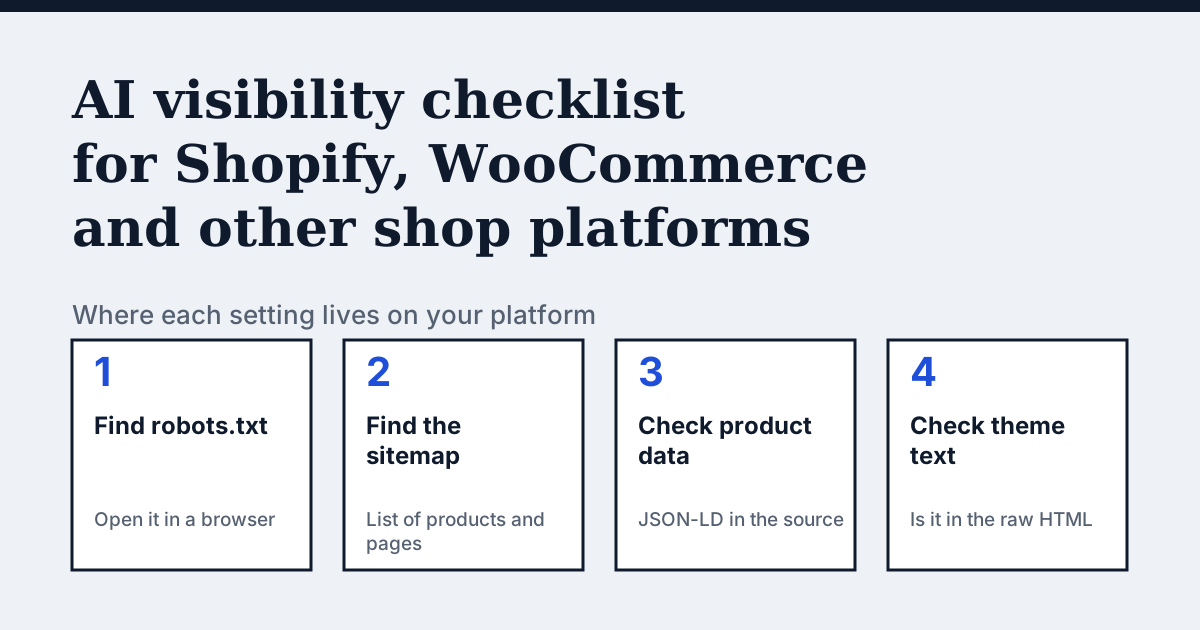
Which checks apply on every shop platform?
The same four questions apply whatever you sell on. Open yourshop.com/robots.txt and check that nothing blocks the crawlers you want. Open yourshop.com/sitemap.xml and check that products are listed. View the source of a product page and search for application/ld+json to see the product data. Then search the same source for a sentence from the product description. If it is missing, a script adds it after loading and many crawlers never see it.
The platform decides where you change each of these. The sections below say what the official help pages confirm and leave the rest to your own settings.
How do I check AI crawler access on Shopify?
Shopify creates a default robots.txt for every store. Shopify's help page says the file sits at the root of your primary domain, and that you can customise it by adding a robots.txt.liquid template to your theme. It calls this an unsupported customisation that Shopify Support cannot help with, so ask a Shopify Partner or a developer if you are unsure (Shopify: editing robots.txt.liquid).
The same page explains that robots.txt rules are advisory, and that blocking AI crawlers there affects only open-web discoverability. Product data sent through Shopify Catalog to agentic storefronts you have activated is not stopped by it.
Where is the sitemap on Shopify and WordPress?
Shopify generates sitemap files automatically at yourshop.com/sitemap.xml. They link to separate sitemaps for products, collections, blogs and pages and update when you add content. Search engines cannot read the sitemap if the store is in private mode (Shopify: find your sitemap).
WordPress, which WooCommerce runs on, has exposed a sitemap index at /wp-sitemap.xml since version 5.5, and the robots.txt it serves references that index (WordPress core announcement). An SEO plugin may replace it with its own sitemap address, so open both and see which one your site answers with.
How do I check product data and text on my platform?
Shopify's guidance on product pages for AI systems asks for clear titles, price and availability shown prominently, detailed specifications, structured data and product attributes. It adds that detail meant only for AI systems can sit lower on the page (Shopify: optimizing your store for AI).
There is no official help page I could confirm that states exactly which structured data a given theme or plugin outputs on WooCommerce, Wix, Squarespace, PrestaShop or Magento. So check your own product page source. If application/ld+json is missing or shows the wrong price, look in your platform's settings or your SEO plugin for a structured data option, and compare the values against the page.
Text hidden behind tabs, accordions or "read more" buttons is fine if it is in the HTML. It is a problem if a theme or app loads it with JavaScript only after the page opens.
Which platform setting is easiest to miss?
| Platform | Where to look | What to confirm |
|---|---|---|
| Shopify | robots.txt.liquid in the theme code | Default file is intact or edits are deliberate |
| Shopify | Online store preferences | Store is not in private mode |
| WordPress with WooCommerce | /wp-sitemap.xml or your SEO plugin | One sitemap, listing products |
| Any platform | CDN or firewall rules | Crawlers are not refused by name |
| Any platform | Product page source | JSON-LD price matches the page |
What does the audit check?
Platform dashboards show settings. A crawler sees the result. The CitedBy audit crawls every page of your shop, shows which AI crawlers it lets in and gives the exact fix for each issue. It starts at €9, paid once, with a 14-day money-back guarantee. The Fix Pack is €390 paid once: we make the changes and re-check at day 30.
Questions people ask
Can I edit robots.txt on every platform?
No. On Shopify you can, through the robots.txt.liquid template. On other platforms it depends on the platform and plan, so look in your platform's settings or help pages.
Does a sitemap plugin matter for AI assistants?
A sitemap helps crawlers find your pages, but assistants also need to be allowed in and to read the page. See the technical SEO checklist.
My theme loads descriptions with JavaScript. What now?
Ask the theme or app developer for a version that outputs the text in the HTML, or move the key facts into the standard product description field.
Sources
- Shopify: editing robots.txt.liquid
- Shopify: finding and submitting your sitemap
- Shopify: optimizing your store for AI
- WordPress core: XML sitemaps in 5.5
See what AI answers about your shop
The audit crawls every page of your site, shows which AI crawlers it lets in and gives the exact fix for each issue. From €9, 14-day money-back guarantee.
Audit my siteAudit from €9, paid once. Fix Pack €390 paid once. 14-day money-back guarantee.