Guides / Crawlability
My Lovable, Bolt or React site looks empty to AI. How to check it and fix it
Why a site that looks fine can be empty to AI
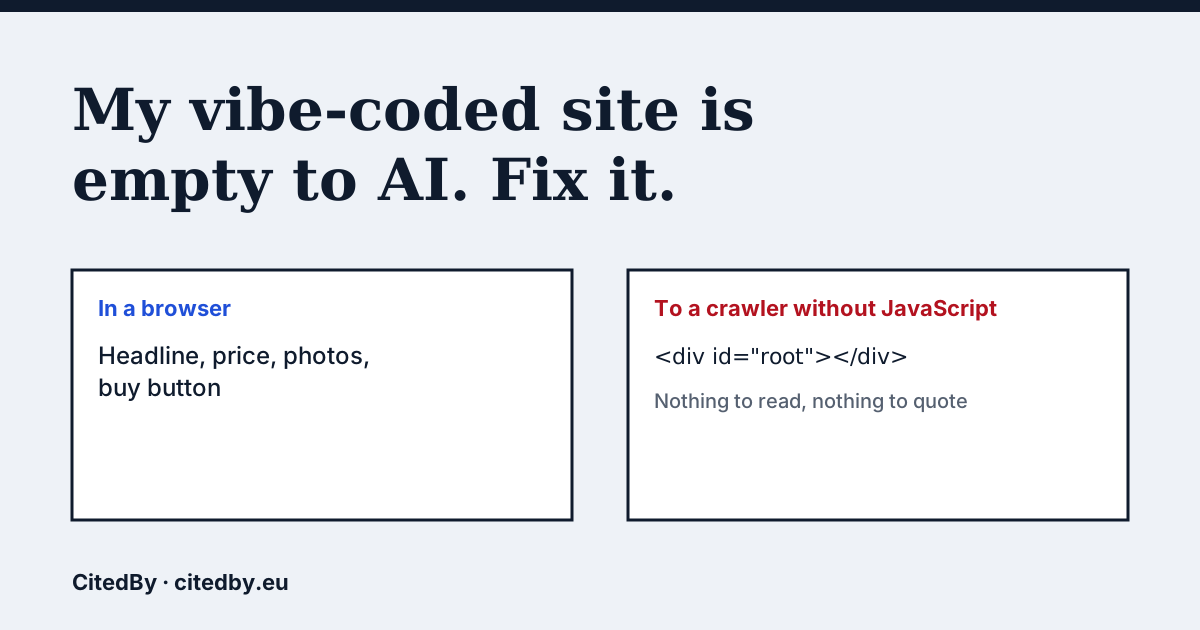
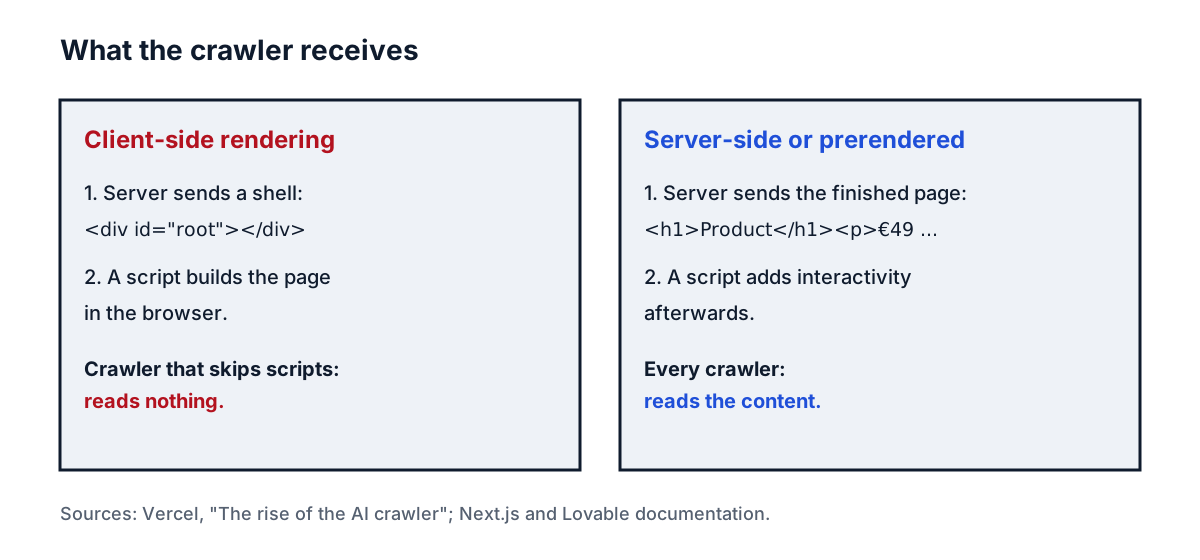
A site made with an AI app builder is often a single-page app. The server sends a near-empty HTML shell, and JavaScript builds the headline, price and buttons in your browser. A visitor never notices. A crawler that does not run the script receives the shell and nothing else.
Vercel analysed AI crawler traffic across its network and reported that none of the major AI crawlers it looked at render JavaScript. It names OpenAI (OAI-SearchBot, ChatGPT-User, GPTBot), Anthropic (ClaudeBot), Perplexity (PerplexityBot), Meta and ByteDance. It also reports that ChatGPT's and Claude's crawlers fetch JavaScript files (11.5% and 23.84% of their requests) without executing them, while Gemini uses Googlebot's infrastructure and can render JavaScript (Vercel: the rise of the AI crawler). That is one company's measurement from its own network, and crawler behaviour can change, so test your own site instead of assuming.
The 30-second test
- Open your homepage in a browser, right click and choose View page source (not Inspect, which shows the page after scripts ran).
- Search the source for your main headline and one price or product name.
- If you find them in the text, crawlers can read them. If you find only a
<div id="root"></div>and script tags, the page is empty to a crawler that skips JavaScript. - Audit your site with the box above (from €9). It fetches your page with a plain request, without running scripts, and counts the readable words in the HTML.
For a command-line version, curl -s https://yourshop.com/ | head -c 3000 prints the start of what a crawler gets.
What Lovable says
Lovable's FAQ says new apps created from 13 May 2026 (22 June 2026 for Enterprise workspaces) use TanStack Start, which renders pages on the server, and that older apps use React with Vite and render in the browser. For those older apps it says Lovable serves pre-rendered copies of published pages to verified search engines, social preview bots and AI crawlers (Lovable FAQ). So a Lovable site may be readable even if it is client-rendered, but that depends on how and where it is published. A custom setup or a copy exported to another host does not inherit it. Check the source on your live address, not on the builder's preview.
We found no equivalent statement from Bolt or other builders, so we make no claim about them. Run the test on each site.
Fixes by setup
| Your setup | Fix | Check afterwards |
|---|---|---|
| New Lovable app (TanStack Start) | Nothing to switch, rendering is on the server | View source on the live address |
| Older Lovable app (React + Vite) | Confirm the live address returns the text, and read Lovable's rendering notes for options | View source, and the audit |
| React + Vite you host yourself | Move critical pages to server rendering or prerender them at build time | View source on each key page |
| Next.js | Pages and layouts are Server Components by default, which render on the server (Next.js docs). Keep price and description out of client-only components | View source |
| Other builder | Ask the vendor how published pages are rendered, then test | View source |
Whatever you choose, the pages that matter are the ones a buyer would ask about: home, category, product, shipping and returns. Put price, availability and a short description in the server-sent HTML and keep scripts for interaction only.
Two other things to check at the same time
- Product data: the price and name should also appear as
ProductJSON-LD in the server HTML, not injected later. - Blocks: a site can be readable and still be refused. See Is GPTBot blocked on my site?.
Questions people ask
Does ChatGPT run JavaScript on my site?
Vercel's analysis found that none of the major AI crawlers, including OpenAI's, render JavaScript. Test your own page with View page source, since behaviour can change.
How do I know if my site is client-side rendered?
View the page source. If your headline and price are not in it, and you see an empty root div with script tags, the page is built in the browser.
Is a Lovable site always empty to AI?
No. Lovable says new apps render on the server and that older apps get pre-rendered copies served to verified crawlers. Check the live address to be sure.
Does Google see my client-rendered site?
Vercel reports Gemini uses Googlebot's infrastructure and can render JavaScript. Other assistants may still read nothing, so server rendering helps with all of them.
Sources
- Vercel: the rise of the AI crawler
- Lovable FAQ: rendering and SEO
- Next.js: Server and Client Components
- CitedBy site audit
See what AI answers about your shop
The audit crawls every page of your site, shows which AI crawlers it lets in and gives the exact fix for each issue. From €9, 14-day money-back guarantee.
Audit my site