AI crawler settings by platform / AI crawlers by platform
PrestaShop: robots.txt generator writes one rule set for all bots
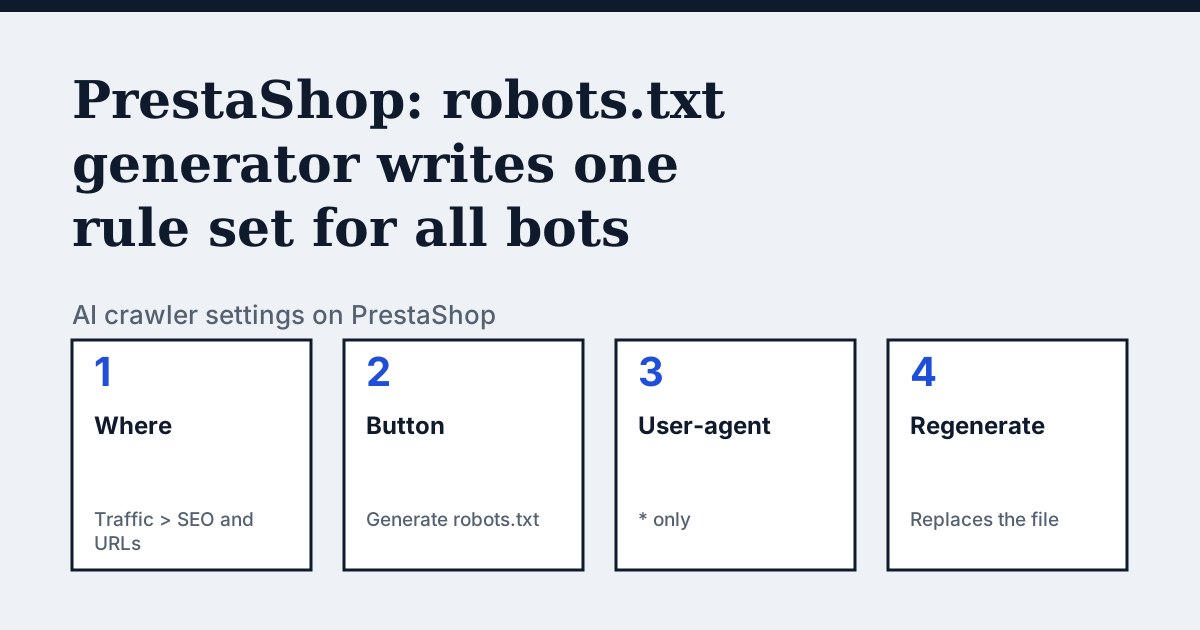
Where the setting is on PrestaShop
PrestaShop 8's user guide places it under Configuring your Shop Parameters, then Traffic, then SEO and URLs. The section is called Robots file generation. The page does not name a menu path inside the back office beyond that, and it shows "Last updated 4 years ago" at the foot.
The one thing PrestaShop's page says that the other platforms do not
PrestaShop does not give you a box to type rules into. It gives you a button that writes the whole file. The guide says the generator "simply creates a file with exclusion directives for files and directories that are not meant to be public", applied to all bots through the "User-agent: *" string. It also says the worst bots ignore the file, because it is "purely advisory". The consequence for AI crawlers is in the last two sentences of the section: regenerating wipes whatever you added.
In the vendor's words: “Clicking on the "Generate robots.txt" button replaces any existing robots.txt file with a new one. Therefore, if you want to add your own rules, do it after PrestaShop has generated its version of the file.”
Source: PrestaShop 8 User Guide: SEO and URLs, read on 24 October 2026.
The steps
- Open SEO and URLs in the Traffic section of Shop Parameters.
- Go to Robots file generation.
- Click Generate robots.txt. This replaces any existing robots.txt file.
- Add your own rules after PrestaShop has generated its version. The page does not say how to edit the generated file, so use whatever file access your hosting gives you.
- Open /robots.txt on your shop to check that your rules are still there. Repeat step 4 every time you click the button again.
The lines to use
To allow:
# Nothing to add: the generated file only lists files and directories that are not public.
# To name one explicitly, add after the generated block:
User-agent: OAI-SearchBot
Allow: /
To block:
User-agent: GPTBot
Disallow: /

User-agent: ClaudeBot
Disallow: /
Gotchas
The generated file speaks to every bot the same way, because it uses User-agent: * and nothing else, so PrestaShop's tool gives you no per-crawler choice. The guide says some bots you want to have full access, such as Google's, and others you do not, such as spam bots and content thieves, which is a decision you make in your own added groups. The guide does not mention AI crawlers by name at all, and it points to no setting or module for them.
Compare with Shopify
Shopify: A robots.txt.liquid template that keeps your additions, where PrestaShop's button overwrites them.
Check your own site
The free check in the box above reads robots.txt for the AI crawlers and sends one live request per crawler, so a rule that your platform's settings allow but a firewall refuses shows up. The full list of crawlers is on the AI crawler hub.
Questions people ask
Will regenerating robots.txt in PrestaShop delete my AI crawler rules?
Yes, if you added them to the generated file. PrestaShop's guide says the button replaces any existing robots.txt with a new one, and that you should add your own rules after it has generated its version.
Does PrestaShop block AI crawlers by default?
The guide does not say so. It describes a generated file with exclusion directives for non-public files and directories under User-agent: *, and it names no AI crawler.
Sources
- PrestaShop 8 User Guide: SEO and URLs, read 24 October 2026
See what AI answers about your shop
The audit crawls your site up to your plan's page limit, shows which AI crawlers it lets in and gives the exact fix for each issue. From €9, 14-day money-back guarantee.
Audit my siteAudit from €9, paid once. 14-day money-back guarantee.